

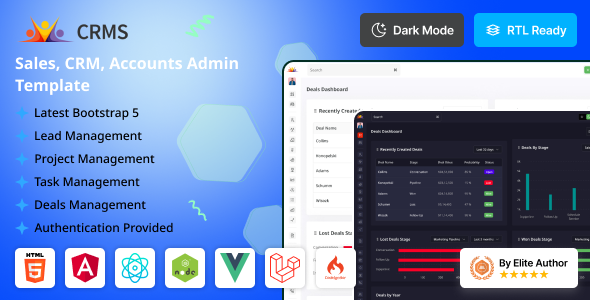
System Overview
The CRMS template requires a modern web server environment with Djargo 8.4 support, essential extensions, and development tools for optimal performance and development experience.
Core Technologies

Backend Framework
Django 6.0.7
Frontend Framework
Bootstrap 5.3.8
Web Server
Apache or Nginx
System Requirements
Composer
For PHP package dependency management
PHP Extensions
mysql, curl, json, mbstring, xml
Node.js
For Vite build process & SCSS compilation
Text Editor
VS Code, Sublime Text, or any code editor
Development Tools
Local Server
XAMPP/WAMP/MAMP
Version Control
Git
Web Browser
Any modern browser
Important Note
Ensure all PHP extensions are enabled in your server configuration. For production deployment, consider using a managed hosting service that supports PHP 8.4.
CRMS offers powerful admin template and modern interface.
Built-in Applications
- Calendar
- Chat
- To Do
- Notes
- File Manager
- Social Feed
- Kanban
- Call
Layout Features
- Creative Design
- Django version 6.0.7
- Fully Responsive
- Color & Fonts is easily changed
- Multiple Layouts
- User friendly design
- Compatible Browsers: Firefox, Safari, Opera, Edge, Chrome
- Various Sidebar Types
Project Overview
The PHP project follows standard PHP directory structure
with the main application located in crms/php/. The application includes all
standard PHP directories for a complete application structure.
crms/
└── template
    ├── apps
    ├── compounds
    ├── crms
    ├── dashboard
    ├── templates
    ├── static
    ├── body.php
    ├── gulpfile.js
    ├── package.json
    └── manage.py
You can change the javascript file or replace it from js folder or you can edit it from script.html file.
	<script src="{% static 'assets/js/jquery-3.7.1.min.js' %}"></script>
	<script src="{% static 'assets/plugins/bootstrap/js/bootstrap.bundle.min.js' %}"></script>
	<script src="{% static 'assets/plugins/slimscroll/jquery.slimscroll.min.js' %}"></script>
	<script src="{% static 'assets/plugins/select2/js/select2.min.js' %}"></script>
	<script src="{% static 'assets/js/script.js' %}"></script>
You can change the style file or replace it from style folder or you can edit it from style.css file.
	<script src="{% static 'assets/css/bootstrap.min.css' %}"></script>
	<script src="{% static 'assets/plugins/icons/feather/feather.css' %}"></script>
	<script src="{% static 'assets/css/feather.css' %}"></script>
	<script src="{% static 'assets/plugins/daterangepicker/daterangepicker.css' %}"></script>
	<script src="{% static 'assets/css/owl.carousel.min.css' %}"></script>
Install Node.js and Gulp
- Download and install Node.js from https://nodejs.org/
- In your project directory, run:
npm install - To build static assets, run:
npx gulp
Django Setup
- Install Django:
pip install django - Run the server:
python manage.py runserver
gulp before starting the Django server to ensure your static assets are up to date.
Switch CSS files to their RTL versions by adding *.rtl.min.css suffix to files that have RTL versions generated in assets folder:
	<!DOCTYPE html>
		<html lang="en">
		<head>
			<meta charset="utf-8">
			<meta name="viewport" content="width=device-width, initial-scale=1.0, user-scalable=0">
			<link rel="stylesheet" href="assets/css/bootstrap.rtl.min.css">
			<title>CRMS Admin Template</title>
		</head>
	</html>
	body {
		direction: rtl;
	}
CRMS is developed by Dreams Technologies and is available under both Envato Extended & Regular License options.
Regular License
Usage by either yourself or a single client is permitted for a single end product, provided that end users are not subject to any charges.
Extended License
For use by you or one client in a single end product for which end users may be charged.
What are the main differences between the Regular License and the Extended License?
If you operate as a freelancer or agency, you have the option to acquire the Extended License, which permits you to utilize the item across multiple projects on behalf of your clients.
| NAME | URL |
|---|---|
| Bootstrap | https://getbootstrap.com/docs/ |
| jQuery | https://jquery.com/ |
| Fontawesome | https://fontawesome.com/ |
| Select2 | https://github.com/select2/select2 |
| Date Timepicker | https://cdnjs.com/libraries/jquery-datetimepicker |
| Google Fonts | https://fonts.google.com/ |
| Morris | https://morrisjs.github.io/morris.js/ |
| Summernote | https://summernote.org/plugins |
| Fancy Box | http://fancybox.net/ |
| Dropzone Js | https://github.com/dropzone/dropzone |
| Jquery UI | https://jqueryui.com/ |
| Full Calendar | https://fullcalendar.io/ |
| Moment JS | https://momentjs.com/ |
| Popper JS | https://popper.js.org/ |
| Datatables | https://datatables.net/download |
Need Support?
If this documentation does not address your questions, please feel free to contact us via email at support@dreamstechnologies.com
Reach the team at GMT+5:30. Typical reply within 12–24 hours on weekdays — rarely up to 48 hrs during holidays. Support is available to verified buyers for template-related issues.
Contact SupportImportant Note : We strive to offer top-notch support, but it's only available to verified buyers and for template-related issues such as bugs and errors. Custom changes and third-party module setups are not covered.
Do you need a customized application for your business?
If you need a customized application for your business depends on your specific requirements and goals, Please contact us. Customization can be the key to success, ensuring your project perfectly aligns with your unique goals and requirements.
Don't Miss Out on the Benefits of Customization!
Unlock the potential of your project. It's time to ensure your project isn't another cookie-cutter solution but truly unique and effective one.
Discover how customization can make a difference in your project's success. Let's create a solution that's as unique as your vision!
We'll tailor the application to meet your specific needs and preferences.
We will upload your website to the server and ensure it is live.

Thank You
Thank you once again for downloading CRMS.
We hope you're enjoying your experience, and we kindly request that you take a
moment to share your valuable review and rating with us.